
Every day, Kenyan businesses throw money at Facebook ads hoping something sticks. They boost posts randomly, target “everyone in Kenya who likes business,” and wonder why KES 10,000 disappeared with zero sales to show for it.
Meanwhile, their smarter competitors spend the same budget and generate 20 qualified leads, 5 customers, and positive ROI that justifies scaling.
The difference isn’t luck. It’s understanding how Facebook’s advertising system actually works.
Facebook Ads remain one of the most powerful marketing tools available to Kenyan businesses in 2025. The platform reaches 8+ million Kenyans daily, offers targeting precision no billboard or newspaper ad can match, and costs a fraction of traditional advertising when done correctly.
But “when done correctly” is where most beginners fail spectacularly.
This guide walks you through exactly how Facebook Ads work within the Meta ecosystem (Facebook and Instagram together), what you need set up before spending a single shilling, how to choose the right campaign objectives for your goals, targeting strategies that work in the Kenyan market, creating ads that actually convert, and the budgeting and testing approach that separates profitable campaigns from money pits.
By the end, you’ll understand the complete framework for running Facebook ads that generate measurable business results instead of just “awareness” and empty wallets.
If you want comprehensive training covering not just Facebook ads but the complete digital marketing skill set including SEO, content strategy, social media management, and AI-powered workflows, our digital marketing and AI training in Kenya program provides the structured curriculum and hands-on practice that turn beginners into confident professionals.
How Facebook Ads Work
Facebook advertising isn’t actually “Facebook” anymore. It’s the Meta Ads ecosystem covering both Facebook and Instagram with unified management tools and targeting capabilities.
Understanding this system prevents the confusion that wastes beginner budgets.
Meta Ads ecosystem explained simply: When you create ads through Meta’s platform, you can show those ads on Facebook feeds, Instagram feeds, Facebook and Instagram Stories, Facebook and Instagram Reels, Messenger, and the Audience Network (third-party apps and websites partnered with Meta).
This multi-platform reach is Meta’s biggest advantage. One ad campaign can appear wherever your target customers spend time across Meta’s properties, maximizing exposure without creating separate campaigns for each platform.
The auction system: Facebook ads work through real-time auctions. When someone scrolls their feed, Facebook runs an instant auction among all advertisers targeting that person. The winning ad appears in their feed.
Three factors determine auction winners: Your bid (how much you’re willing to pay for the desired action), estimated action rate (how likely Facebook thinks this person will engage with your ad), and ad quality and relevance (Facebook’s assessment of your ad’s user experience).
This means you don’t automatically win by bidding highest. High-quality, relevant ads can beat higher bids because Facebook prioritizes user experience. Show people irrelevant, annoying ads and Facebook makes you pay more or stops showing your ads entirely.
Business Manager vs Ads Manager: These are the two main tools you’ll use, and beginners often confuse them.
Business Manager (business.facebook.com) is the hub managing all your business assets: ad accounts, Facebook pages, Instagram accounts, pixels, catalogs, and team member permissions. Think of it as the administrative backend where you organize everything before actually creating ads.
You create one Business Manager account per business. Within it, you can manage multiple ad accounts, pages, and team members with different permission levels.
Ads Manager (accessible through Business Manager or directly at is where you actually create, monitor, and optimize ad campaigns. This is your campaign control center showing performance data, allowing budget adjustments, and managing active ads.
For beginners: set up Business Manager first to properly organize your assets, then access Ads Manager through it to create campaigns.
Campaign structure: Facebook ads have three levels you need to understand.
Campaign level: Where you choose your objective (what you want people to do). This high-level goal determines how Facebook optimizes your ads and what actions you can measure.
Ad Set level: Where you define targeting (who sees your ads), placements (where ads appear), budget, and schedule. You can have multiple ad sets within one campaign, each testing different audiences or strategies.
Ad level: The actual creative people see (images, videos, copy, headlines, call-to-action buttons). You can have multiple ads within each ad set, testing different creative variations.
Example structure: Campaign: “Lead Generation – Digital Marketing Course.” Ad Set 1: Targeting Nairobi professionals aged 25 to 40 interested in marketing. Ad Set 2: Targeting Mombasa small business owners aged 30 to 50. Ad 1 within each set: Video testimonial from past student. Ad 2 within each set: Carousel showing course curriculum.
This structure lets you test what works (which audience responds better? which creative drives more leads?) and optimize based on data.
How Facebook optimizes your ads: Once your campaign launches, Facebook’s algorithm learns from early results and automatically optimizes delivery toward people most likely to take your desired action.
If you’re running lead generation ads, Facebook identifies patterns in people who submit forms and shows your ads to more people matching those patterns. The algorithm improves over time as it gathers more conversion data.
This is why the first 24 to 48 hours of a campaign often underperform. Facebook is in “learning mode,” testing your ads with different audiences to understand who responds. Once out of learning mode (typically after 50 conversion events), performance stabilizes and often improves.
Understanding this prevents panicking and turning off campaigns too early before they have chance to optimize.
What You Need Before Running Ads
Jumping into Facebook Ads without proper setup is like driving without knowing where you’re going. You’ll waste fuel (budget) and end up frustrated.
Business Page requirements: You cannot run Facebook ads from a personal profile. You need a Facebook Business Page representing your company, brand, or organization.
Create one at facebook.com/pages/create. Choose the correct category for your business. Complete all profile information: business name, description, contact details, location, website, and hours. Add a professional profile picture (logo) and cover photo. Publish several posts establishing your page before running ads. Pages with zero content look suspicious to potential customers.
Your Business Page serves as the landing spot for people who click your profile from ads. An incomplete, empty page damages credibility and hurts conversion rates.
Ad Account setup: Your Ad Account is where your payment information lives and where campaigns are created.
Access through Business Manager. Add payment method (M-Pesa, credit/debit card, or PayPal). Set account currency (KES for Kenyan businesses to avoid conversion confusion). Define account spending limits if you want to prevent accidentally overspending.
Facebook may require identity verification before allowing ads, especially for new accounts. This protects against fraud but can delay your first campaign. Complete verification early.
Clarity on what you’re offering: Before spending money on ads, answer these questions clearly.
What exactly are you selling? Product, service, course, consultation? What’s the price? What problem does it solve for customers? Why should someone choose you over competitors? What specific action do you want ad viewers to take?
Vague offers get vague results. “We offer digital marketing services” generates fewer conversions than “SEO content writing packages: 4 optimized blog posts monthly at KES 24,000. Includes keyword research, writing, and publishing.”
Landing page vs WhatsApp strategy: Where do you send people who click your ads? This decision significantly impacts conversion rates and costs.
Landing page approach: Create a dedicated webpage designed specifically for ad traffic. The page should match your ad’s message exactly, remove all navigation distractions, focus on one clear call-to-action (sign up, buy, book), include social proof (testimonials, reviews), and make taking action simple (form, checkout button, contact details).
Landing pages work best for: E-commerce products with online checkout, lead generation requiring contact information, professional services wanting to appear established, and offers with multiple details needing explanation.
WhatsApp approach: Your ad directs people to start a WhatsApp conversation with your business number. Message them directly for quotes, questions, or purchases. Complete transactions through WhatsApp chat and mobile money.
WhatsApp works best for: Service businesses where consultation precedes purchase, personalized offerings requiring discussion, businesses with strong customer service, Kenyan market where WhatsApp is primary communication, and businesses without websites yet.
Many successful Kenyan businesses use hybrid: landing page captures basic information and provides WhatsApp button for immediate questions.
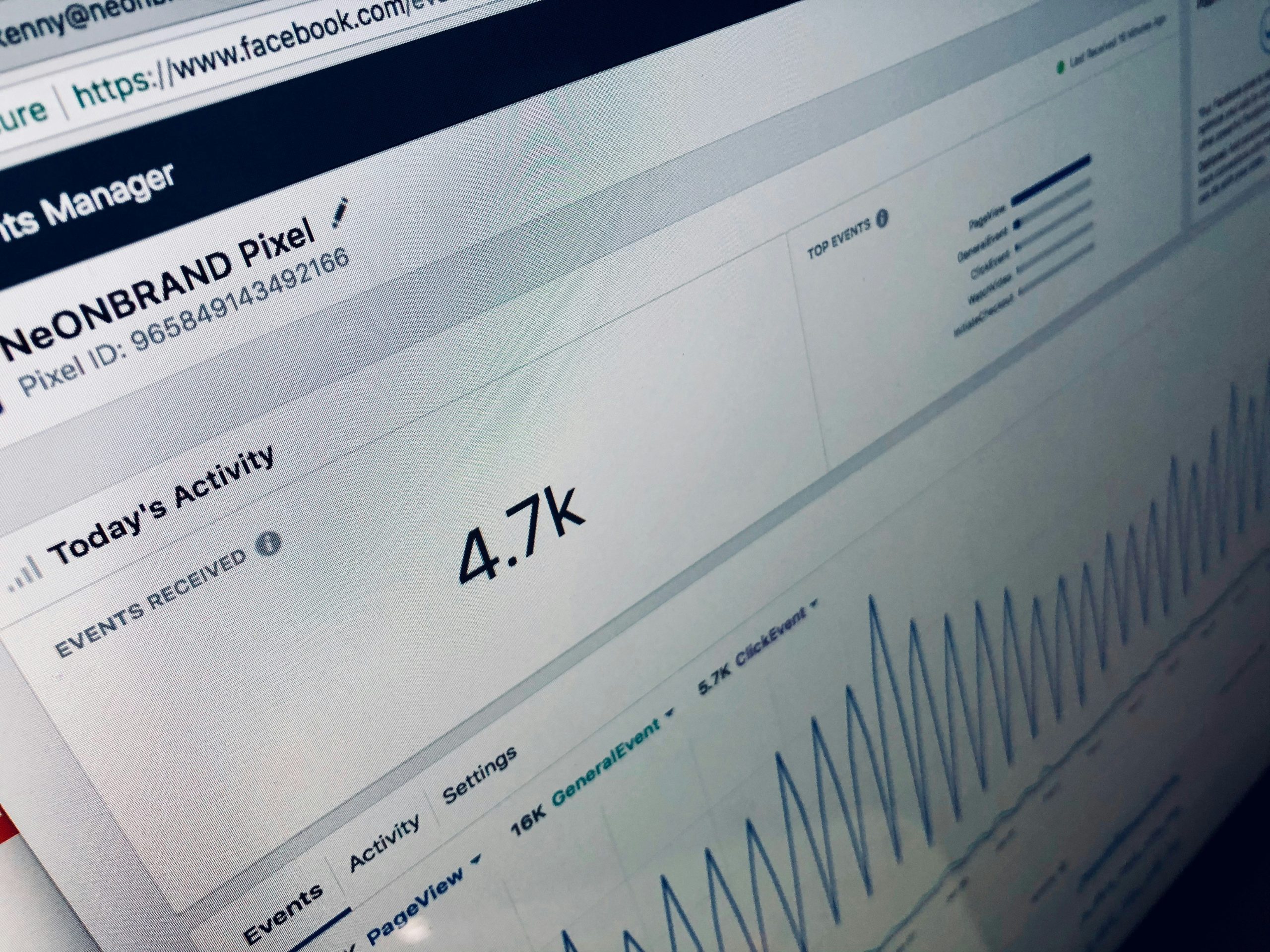
Pixel installation (if using landing pages): The Facebook Pixel is code installed on your website tracking visitor actions. It tells Facebook when someone takes desired actions (page views, form submissions, purchases) so Facebook can optimize ad delivery toward people likely to convert.
Access Pixel in Business Manager Events Manager. Copy the pixel code and add it to your website (most website builders have simple integration). Verify it’s working before running ads (use Facebook Pixel Helper browser extension).
Without the pixel, Facebook can’t track conversions beyond link clicks, severely limiting optimization and measurement capabilities.
Budget clarity: Decide how much you can invest in ads initially and what return you need to justify the investment.
Beginners should plan to spend at least KES 10,000 to 20,000 on testing before expecting consistent results. This budget lets you test different audiences, creatives, and messages to find what works for your specific business.
Calculate your acceptable cost per result: If you need 20 leads to close 1 customer worth KES 15,000, and you can afford to spend KES 3,000 acquiring that customer, your maximum cost per lead is KES 150. This clarity guides budget decisions and helps you evaluate performance.
Understanding Facebook Ad Objectives
Choosing the wrong objective is the fastest way to waste money. Facebook optimizes delivery based on your selected objective, so picking incorrectly means the algorithm works against your actual goals.
The six main objective categories: Meta has simplified objectives into these categories in 2024-2025.
Awareness: Get your ads in front of as many people as possible in your target audience. Facebook optimizes for maximum impressions and reach, showing your ads broadly without prioritizing any specific action.
When to use: Brand awareness campaigns for new businesses, launching new products to create market awareness, remarketing to stay top-of-mind with past customers, or very top-of-funnel content before direct selling.
When not to use: When you want leads, sales, or any measurable action. Awareness campaigns generate visibility but rarely drive immediate conversions for unknown brands.
Traffic: Drive people to a destination like your website, landing page, or app. Facebook optimizes for link clicks, showing ads to people most likely to click through.
When to use: Driving traffic to blog content, promoting content that educates before selling, building retargeting audiences (people who visit your site), or testing landing page conversion rates.
When not to use: When you have clear conversion tracking (leads or sales) set up. If you can track conversions, use conversion-focused objectives instead for better optimization.
Engagement: Get people to interact with your content through likes, comments, shares, page follows, or event responses. Facebook shows ads to people most likely to engage.
When to use: Building social proof on important posts, growing page followers, promoting events for RSVPs, or creating content hubs for community building.
When not to use: When your goal is business outcomes (leads or sales). Engagement looks good but doesn’t pay bills. Use only when engagement itself serves a strategic purpose.
Leads: Collect contact information directly through Facebook lead forms without people leaving the platform. Facebook optimizes delivery to people most likely to submit their information.
When to use: Generating leads when you don’t have a website, capturing contact info for follow-up sales, building email or SMS marketing lists, or offering lead magnets (free guides, consultations, quotes).
When not to use: For immediate sales. Lead forms capture contact information but don’t complete purchases. You’ll need follow-up to convert leads to customers.
App Promotion: Drive app installs or in-app actions. Facebook optimizes for people likely to install your app or take specific actions within it.
When to use: If you have a mobile app and want downloads or engagement.
When not to use: For everything else. Most small Kenyan businesses don’t need this objective.
Sales: Drive purchases or other valuable conversions on your website, WhatsApp, or through calls. Facebook optimizes for people most likely to complete your desired conversion.
When to use: E-commerce with online checkout, service bookings, course enrollments, consultation scheduling, or any scenario where you can track completed conversions.
When not to use: Without proper conversion tracking installed. If Facebook can’t see when conversions happen, it can’t optimize properly.
The most common beginner mistake with objectives: Choosing Awareness or Engagement when they actually want Leads or Sales because they think building awareness first is necessary.
For most small businesses, skip straight to conversion-focused objectives (Leads or Sales). Facebook’s targeting is sophisticated enough to find people ready to convert without wasting budget on broad awareness.
Objective hierarchy for Kenyan small businesses:
For service businesses without websites: Start with Leads objective using Facebook lead forms directing to WhatsApp follow-up. For e-commerce with online checkout: Use Sales objective with pixel tracking purchases. For businesses with landing pages but manual sales process: Use Leads objective tracking form submissions or use Sales objective tracking landing page conversions. For content-driven businesses: Use Traffic to build website audience, then retarget with conversion campaigns.
The objective tells Facebook what success looks like. Choose the objective that matches your actual business goal, and the algorithm will optimize toward that outcome.
Audience Targeting Basics
Facebook’s targeting power is both its greatest strength and where beginners make expensive mistakes. You can reach exactly the right people or burn money showing ads to people who’ll never buy.
Three main audience types: Understanding these fundamentally changes your targeting strategy.
Saved Audiences (interest-based targeting): You manually define who sees ads based on demographics, interests, and behaviors Facebook knows about users.
Demographics: Age, gender, location (country, city, or radius around an address), language, education level, job title, relationship status.
Interests: Categories Facebook assigns based on user activity like pages liked, content engaged with, and stated interests. Examples: “Small Business,” “Entrepreneurship,” “Digital Marketing,” “Online Shopping.”
Behaviors: Actions Facebook tracks like device usage, purchase behavior, travel patterns, and more.
When to use: Testing new campaigns, reaching cold audiences (people who don’t know you), and broad market research to find responsive audiences.
Example for Kenyan business: Nairobi-based fitness studio targets women aged 25-40 within 10km of their location, interested in “Fitness and Wellness,” “Healthy Eating,” and “Yoga.”
Custom Audiences: People who already interacted with your business somehow. You upload or connect data Facebook matches to user accounts.
Types of Custom Audiences:
Customer list: Upload phone numbers or emails of existing customers, leads, or contacts. Facebook matches them to user accounts for retargeting or exclusion.
Website visitors: Target people who visited your website (requires pixel). You can segment by specific pages visited (people who viewed products but didn’t buy) or time frame (visited in past 30 days).
Engagement: Target people who engaged with your Facebook/Instagram content, messaged your page, watched your videos, or interacted with ads.
App activity: Target people who used your app (if you have one).
When to use: Retargeting warm audiences more likely to convert, excluding existing customers from acquisition campaigns, nurturing leads who haven’t converted yet, and upselling existing customers.
Example for Kenyan business: Digital marketing agency retargets people who visited their course landing page but didn’t enroll, showing testimonials and limited-time discount.
Lookalike Audiences: Facebook finds people similar to an existing audience you provide (like your customers or website visitors). The algorithm analyzes common characteristics and targets people matching those patterns.
You create lookalikes based on custom audiences, choosing similarity percentage (1% most similar, 10% broader but less similar) and geographic location.
When to use: Scaling beyond your warm audiences once you’ve identified customers who convert, finding new customers similar to your best existing customers, and expanding reach while maintaining targeting quality.
Example for Kenyan business: E-commerce fashion brand creates 1% lookalike audience based on people who purchased in past 90 days, targeting similar Kenyan users likely to buy.
Demographic and interest targeting for Kenya: Facebook’s interest targeting works but requires understanding how Kenyan users behave on the platform.
Location targeting: Be specific. “Kenya” might reach 10+ million people when you can only serve Nairobi. Use city targeting for local businesses. Use radius targeting around your physical location. Exclude areas you can’t serve to avoid wasting impressions.
Age and gender: Match your actual customer demographics. If 80% of customers are women aged 25-40, don’t target everyone 18-65+ hoping to discover new audiences. Start narrow, expand later if data suggests opportunity.
Interest targeting challenges in Kenya: Facebook assigns interests based on user behavior, but Kenyan interest data isn’t as refined as Western markets. Interest targeting works but cast slightly wider nets than you might in the US or Europe.
Test broad interest categories (“Small Business Owners,” “Digital Marketing”) rather than hyper-specific niches that might have insufficient reach in Kenya.
Common targeting mistakes in Kenya:
Too broad: Targeting “Everyone in Kenya, all ages, all interests” because you think everyone could be your customer. This wastes budget showing ads to 99% wrong people. Even if “anyone could buy,” not everyone will buy with equal probability. Target the most likely buyers first.
Too narrow: Combining so many interests and demographic filters that your audience is 500 people. Facebook needs sufficient audience size to find converters and optimize. Aim for at least 50,000 to 500,000 people for most campaigns.
Wrong interests: Targeting interests vaguely related to your product rather than interests your actual customers have. Just because you sell business services doesn’t mean targeting “Business” interest works. Your customers might be better reached through more specific interests related to their industry or challenges.
Ignoring custom audiences: Only using interest targeting when you have valuable warm audiences (website visitors, engaged users, customer lists) that convert at much higher rates. Always start campaigns by retargeting warm audiences before expanding to cold.
Not excluding existing customers: Showing acquisition ads to people who already bought. This wastes budget and can annoy customers. Create custom audience of customers and exclude them from acquisition campaigns (or create separate campaigns with retention messaging).
The targeting strategy that works: Start with warm audiences if you have them (custom audiences of website visitors, engaged users, customer lists). Test 3 to 5 different interest-based saved audiences for cold traffic. Create lookalike audiences once you have 100+ conversions. Continuously refine based on performance data, eliminating underperforming audiences and scaling winners.
Targeting is iterative. You won’t nail it immediately. Budget for testing, measure carefully, and optimize based on real data rather than assumptions.
Creating Ads That Perform
The best targeting in the world can’t save bad creative. Your ad needs to stop the scroll, communicate value clearly, and motivate action.
Visuals that stop the scroll: People scroll Facebook and Instagram fast. You have 1 to 2 seconds to grab attention before they move past your ad.
What works for stopping attention:
Faces with clear emotion: Humans are hardwired to notice faces, especially with strong emotional expressions (joy, surprise, excitement, concentration). Ads featuring people typically outperform product-only shots.
Bright, contrasting colors: Ads that visually pop against the typical blue/white Facebook interface or the varied Instagram feed grab attention. High contrast matters more than aesthetic beauty.
Movement: Video or animated graphics capture attention better than static images. Even simple motion (text sliding in, zoom effects) outperforms still images.
Pattern interruption: Something unexpected or unusual makes people pause. An image that doesn’t immediately make sense, surprising juxtaposition, or visual that creates curiosity all work.
What doesn’t work:
Generic stock photos that look like every other business ad. Text-heavy graphics that are unreadable at thumbnail size. Dark or low-contrast images that blend into the feed. Overly produced, corporate-feeling visuals that scream “advertisement.” Poor quality, pixelated, or unprofessional images that damage credibility.
Video vs image performance: Video typically gets higher engagement and retention but requires more production effort. Start with image ads to test messaging and audiences quickly and cheaply. Once you identify winning angles, invest in video versions to improve performance further.
Short videos (15 to 30 seconds) work best. First 3 seconds must hook attention. Include captions since most people watch without sound.
Copy structure for ads: Facebook ad copy has three components working together.
Primary text (the caption above your image/video): Hook first sentence immediately. “Struggling to get website visitors?” is stronger than “We offer SEO services.”
Explain value in 2 to 3 sentences: what you offer, who it helps, what problem it solves. Keep total length under 125 characters if possible. Facebook truncates longer copy requiring “see more” clicks, which reduces readability.
Include clear call-to-action telling people exactly what to do next. “Click below to book your free consultation” is better than “Learn more.”
Headline (appears below image/video, above CTA button): 5 to 7 words maximum. Reinforces main benefit or creates urgency. “Get 20% Off This Week Only” or “Free SEO Audit for Kenyan Businesses.”
Description (optional text below headline): Additional detail if needed, but most people won’t read it. Only use if essential information doesn’t fit elsewhere.
Copy formula that works: Problem (What challenge does your audience face?) + Solution (How you solve it) + Proof (Why they should believe you) + Call-to-Action (What to do next).
Example: “Can’t get your website to rank on Google? [Problem] Our SEO packages help Kenyan businesses reach page 1 in 90 days. [Solution] We’ve helped 47 businesses increase organic traffic 300%+. [Proof] Click below for a free website audit. [CTA]”
Calls to action that work: Facebook provides CTA button options. Choose the one matching your goal and making action clear.
“Learn More”: Generic but works for traffic and awareness when specific action isn’t defined. Use when directing to informational content or multi-step funnels.
“Shop Now”: E-commerce purchases. Sets expectation that clicking leads directly to buying.
“Sign Up”: Registrations, account creation, email list subscriptions. Works for lead magnets and course enrollments.
“Get Quote”: Service businesses where pricing is custom. Signals personalized consultation.
“Send Message”: Opens WhatsApp or Messenger conversation. Perfect for Kenyan businesses using messaging for sales.
“Book Now”: Appointments, reservations, event tickets. Implies available slots might fill up.
“Download”: Free resources, apps, guides. Sets expectation of immediate access to file.
Match your CTA button to your actual goal. Don’t use “Shop Now” if you’re generating leads. Don’t use “Learn More” when you want immediate purchases.
Mobile-first design: 90%+ of Kenyan Facebook users access via mobile. Your ads must work on small screens.
Text must be readable on phones without zooming. Buttons and links must be easily tappable. Images must communicate clearly at small size. Loading speed matters (compress images and videos).
Test every ad on your phone before launching. If you struggle to read or understand it on mobile, your audience will too.
Budgeting and Testing
Running ads without proper budgeting and testing strategy is gambling, not marketing. Here’s how to invest smartly.
Daily vs lifetime budgets: Facebook offers two budget options with different use cases.
Daily budget: The average amount you want to spend per day. Facebook may spend slightly more or less on individual days but averages your specified amount over time.
When to use: Ongoing campaigns without end dates, when you want consistent daily spend, for testing where you plan to check daily and adjust quickly.
Lifetime budget: Total amount to spend over the campaign’s full duration. Facebook allocates budget across days to maximize results, spending more on high-performing days and less on low-performing ones.
When to use: Campaigns with specific start and end dates (limited-time offers, events), when you want Facebook to optimize spend timing automatically, for campaigns you won’t monitor daily.
Minimum budgets that work in Kenya: Facebook ads can technically run on tiny budgets, but effective testing requires sufficient spend for statistically significant data.
Minimum per ad set: KES 200 to 500 daily. Below this, Facebook struggles to exit learning mode and optimize properly. You’ll see inconsistent results and waste money on insufficient data.
Testing budget: Plan KES 10,000 to 20,000 minimum to test 3 to 5 audiences and multiple creative variations. This provides enough data to identify what works before scaling.
Scaling budget: Once you find winning combinations (audience + creative driving profitable conversions), increase budget 20% to 30% every 3 to 5 days. Sudden budget jumps reset learning and destabilize performance.
Testing framework that prevents waste: Most beginners change too many variables simultaneously, making it impossible to know what improved or hurt performance.
Test one variable at a time:
Phase 1 – Audience testing: Create identical ads targeting 3 to 5 different audiences. Same creative, same copy, different targeting in each ad set. Run for 3 to 7 days. Identify which audience delivers lowest cost per result.
Phase 2 – Creative testing: Take winning audience from Phase 1. Create 3 to 5 different creatives (different images/videos, headlines, copy angles). Same audience, different ads. Run for 3 to 7 days. Identify winning creative.
Phase 3 – Optimization: Combine winning audience and creative. Scale budget gradually while monitoring performance.
Phase 4 – Continuous testing: Keep 80% of budget on proven winners. Use 20% testing new audiences and creatives to prevent stagnation and find improvements.
When to stop ads: Cut ads that clearly underperform after sufficient testing.
Performance signals to stop: Cost per result is 2x to 3x higher than profitable threshold and not improving after 500+ impressions, ad frequency above 3 (same people seeing ad repeatedly without converting signals exhausted audience), declining performance over time despite no changes (creative fatigue).
When to scale ads: Increase budget on ads showing profitable, consistent performance.
Performance signals to scale: Cost per result below target threshold consistently, stable or improving performance over 7+ days, ad frequency below 2 (room to reach more people in audience), additional budget can find more converters without exhausting audience (proven by lookalike audience success).
Budget scaling rules: Increase 20% to 30% every 3 to 5 days maximum. Larger jumps reset Facebook’s learning. Monitor first 24 to 48 hours after each increase carefully. If performance degrades significantly, scale back.
A/B testing through Facebook: Facebook offers built-in A/B testing (Experiments) letting you test variables with controlled splits.
Use when testing: audiences (which targeting drives better results?), creatives (which ad design converts better?), placements (Facebook feed vs Instagram vs Stories?), or delivery optimization (different bid strategies).
Facebook automatically splits budget evenly, collects data, and declares statistical winners. More reliable than manual comparison when testing critical decisions.
Common Beginner Mistakes
Learn from these errors without having to waste your own budget experiencing them.
Boosting posts blindly: The “Boost Post” button on your Facebook page seems simple. It’s also the worst way to advertise for most business goals.
Why boosting posts fails: Limited objective options (mostly engagement and reach, not conversions), simplified targeting (no custom audiences, lookalikes, or advanced options), no proper conversion tracking, higher cost per result than Ads Manager campaigns, and restricted optimization capabilities.
Boosting works for: Building social proof on important organic posts (getting more engagement on testimonials or announcements) or very simple brand awareness when you truly just want reach.
The fix: Use Ads Manager for any campaign with specific business goals (leads, sales, traffic to website). Only boost posts for social proof purposes, never as primary acquisition strategy.
No conversion tracking: Running ads without knowing which ones drive actual business results means flying blind. You might celebrate low cost per click while your competitor with higher cost per click generates 10x more sales because they track conversions.
What to track: For lead generation: form submissions, phone calls, WhatsApp messages initiated. For e-commerce: add-to-carts, checkouts initiated, purchases completed. For service businesses: consultation bookings, quote requests, contact form submissions.
The fix: Install Facebook Pixel on website before running ads. Set up conversion events matching your goals. Use URL parameters (UTM codes) to track traffic sources in Google Analytics. Ask customers how they found you and log the source.
Without conversion tracking, you can’t optimize, can’t measure ROI, and can’t make intelligent budget decisions.
Changing too many variables simultaneously: Your ad underperforms. You panic and change the audience, creative, copy, budget, and objective all at once. Performance improves or worsens, but you have no idea which change mattered.
The fix: Change one variable at a time. Test audiences with consistent creative. Test creatives with consistent audiences. Wait 3 to 7 days between major changes for sufficient data. Document every change and its impact.
Stopping ads too quickly: Your ad runs for 12 hours, spends KES 800, gets zero conversions. You panic and turn it off. You never gave Facebook chance to exit learning mode and optimize.
The fix: Let ads run at least 3 to 7 days before judging performance unless they’re catastrophically bad (spending rapidly with zero engagement, which signals fundamental targeting or creative problems). Facebook needs time and data to optimize. Initial performance often improves significantly by day 5 to 7.
Not testing enough creative variations: You create one ad, run it for months, watch performance gradually decline as creative fatigue sets in, then wonder why Facebook ads “stopped working.”
The fix: Always have 3 to 5 active creatives in rotation. Introduce new creatives every 2 to 4 weeks even if current ones work. Creative fatigue is inevitable; fresh ads prevent performance decline.
Targeting everyone: “Our product is for everyone!” Maybe, but everyone won’t buy with equal likelihood. Starting with “Everyone in Kenya” wastes budget finding the small percentage who’ll actually convert.
The fix: Identify your most likely customers first. Target them narrowly. Once profitable there, expand gradually to adjacent audiences. Broad targeting is final step after proven narrow success, not first step.
Ignoring ad frequency: Your ad’s frequency (average times each person saw your ad) hits 5, 7, 10. Performance tanks. You’re annoying the same people repeatedly instead of reaching new ones.
The fix: Monitor frequency in Ads Manager. When frequency exceeds 3, either expand audience size, refresh creative, or pause the ad. High frequency kills performance and wastes money.
Focusing on metrics that don’t matter: Celebrating low cost per click or high click-through rate while ignoring that those clicks don’t convert to leads or sales.
The fix: Track metrics connected to revenue. Cost per lead or cost per sale matter infinitely more than cost per click. High click-through rate means nothing if landing page doesn’t convert.
The pattern: most mistakes come from impatience, poor tracking, or not testing systematically. Avoid these by committing to proper setup, giving campaigns time to optimize, and measuring what actually drives business outcomes.
Start Running Profitable Facebook Ads
You now understand how Facebook’s ad ecosystem works within Meta’s platform, what setup and assets you need before spending money, how to choose objectives matching your business goals, targeting strategies that work in Kenya’s market, creating ads that capture attention and drive action, and budgeting and testing approaches that find winners without burning budgets.
Facebook Ads offer Kenyan businesses unmatched ability to reach precisely targeted audiences at affordable costs when executed properly. The businesses winning with Facebook Ads aren’t lucky or spending massive budgets. They understand the fundamentals, test systematically, and optimize based on data.
Your choice is straightforward: waste money learning through expensive trial-and-error, or invest time understanding how the system works before spending significant budgets.
Start small. Set up properly. Test strategically. Measure religiously. Scale what works.
Your first campaign won’t be perfect. That’s expected. But starting with solid fundamentals prevents catastrophic waste and positions you to improve systematically toward profitable campaigns.
Want comprehensive training covering not just Facebook Ads but the complete digital marketing ecosystem including SEO, content strategy, social media management, and AI-powered workflows? Our digital marketing and AI training in Kenya program provides structured education, hands-on practice, and expert guidance that turn beginners into confident professionals who drive measurable business results.
The opportunity exists right now. Kenyan businesses need profitable Facebook Ads. Most are doing it wrong. You can be the person who does it right.
Start today. Set up properly. Test intelligently. Scale profitably.
Frequently Asked Questions
How much money do I need to start running Facebook Ads in Kenya?
Start with a minimum testing budget of KES 10,000 to 20,000 to gather meaningful data across 3 to 5 different audience and creative combinations. This budget spread over 7 to 14 days (roughly KES 500 to 1,000 daily per ad set) provides sufficient data to identify what works before scaling. You can technically run ads for less, but budgets below KES 200 to 300 daily per ad set prevent Facebook from exiting learning mode and optimizing properly, wasting money on inconclusive tests. Once you identify profitable campaigns (cost per lead or sale below your acceptable threshold), scale budget gradually while maintaining profitability. Most Kenyan small businesses running effective Facebook ads spend KES 30,000 to 100,000 monthly once they’ve validated their approach, generating 3x to 10x ROI depending on industry and offer quality.
Should I hire someone to run my Facebook Ads or learn to do it myself?
Learn the basics yourself first even if you eventually hire someone. Understanding fundamentals prevents you from being taken advantage of by incompetent agencies or freelancers, lets you evaluate results intelligently, and helps you brief hired experts effectively if you do outsource. Doing it yourself makes sense if you have time to learn properly (20 to 30 hours), enjoy data analysis and optimization, plan to run ads ongoing not just occasionally, or your budget is under KES 50,000 monthly (hiring costs might exceed ad spend). Hiring makes sense if your time is worth more than learning and management time investment, your ad spend exceeds KES 100,000 monthly (justifying management fees), you’ve tested yourself and struggle to get results, or you need sophisticated strategies beyond basics. Many successful businesses start by learning fundamentals, validate that Facebook ads work for their business, then hire experts to scale once profitability is proven.
How long does it take to see results from Facebook Ads in Kenya?
Facebook ads can generate immediate results (clicks and traffic within hours of launching), but profitable, optimized campaigns typically take 2 to 4 weeks to develop. The timeline breaks down as: Days 1 to 3 the campaign is in learning mode with inconsistent performance as Facebook tests delivery, days 4 to 7 performance stabilizes and you see clearer patterns in what’s working, weeks 2 to 3 you have enough data to identify winning audiences and creatives, and weeks 3 to 4+ you optimize toward profitable campaigns by eliminating losers and scaling winners. Unrealistic expectation: launching ads Monday and expecting 50 sales by Friday. Realistic expectation: investing 2 to 4 weeks testing systematically, identifying profitable combinations, then scaling gradually toward consistent results. The businesses that succeed with Facebook ads treat the first month as testing and learning, not immediate profit generation. Once you find what works, results compound quickly through optimization and scaling.